
Save anything.
Paste it anywhere.
Stash keeps your text, links, photos, GIFs, and files in one place, and puts any of them on your clipboard with one tap.
iPhoneiPadMacApple Vision Pro
Free for up to 10 items · Stash Unlimited is a $2.99 one-time purchase
Features
Everything you'll need again, one tap away.
Save from anywhere
Share to Stash from any app, tap the clipboard button, drag and drop on Mac or iPad, or paste a direct image link. Everything lands in the right category automatically.
Copy in one tap
Tap an item and it's on your clipboard. Photos, GIFs, and files copy as the real thing. Select several and copy them together. Quick Look any file without leaving the app.
Categories & Tags
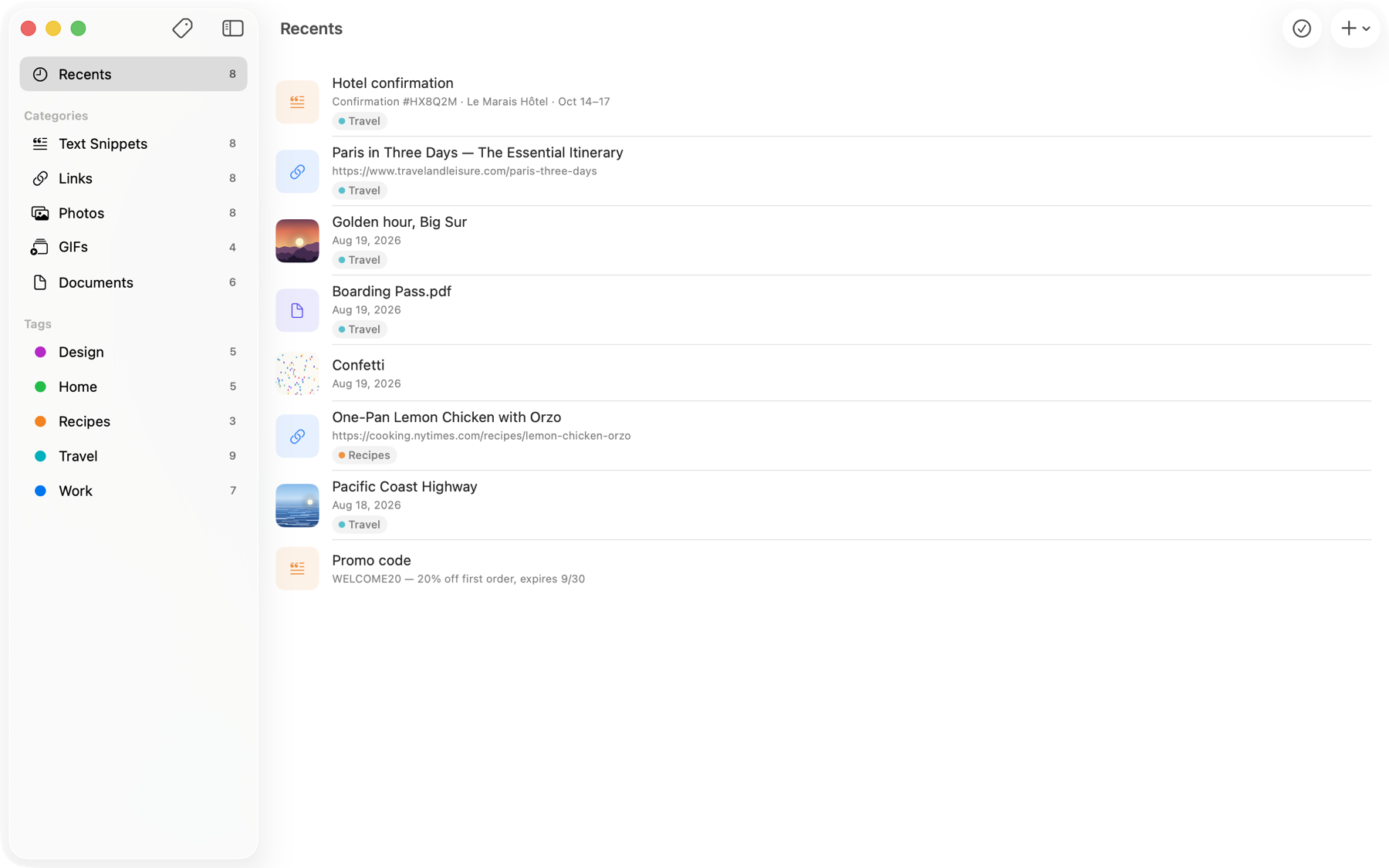
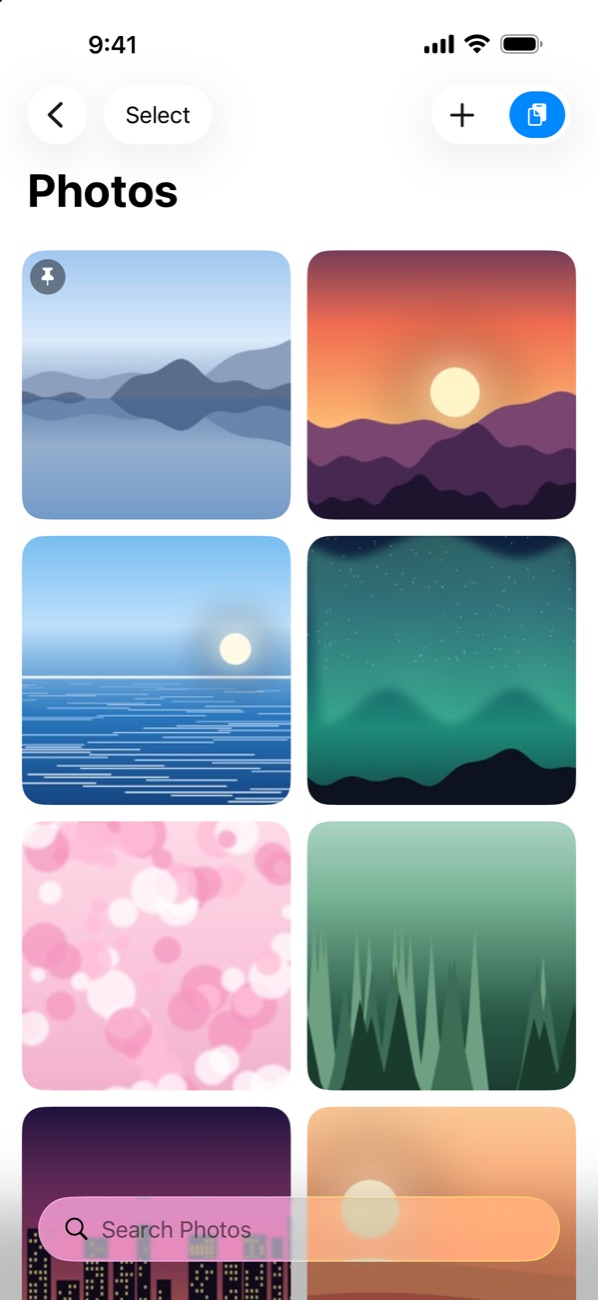
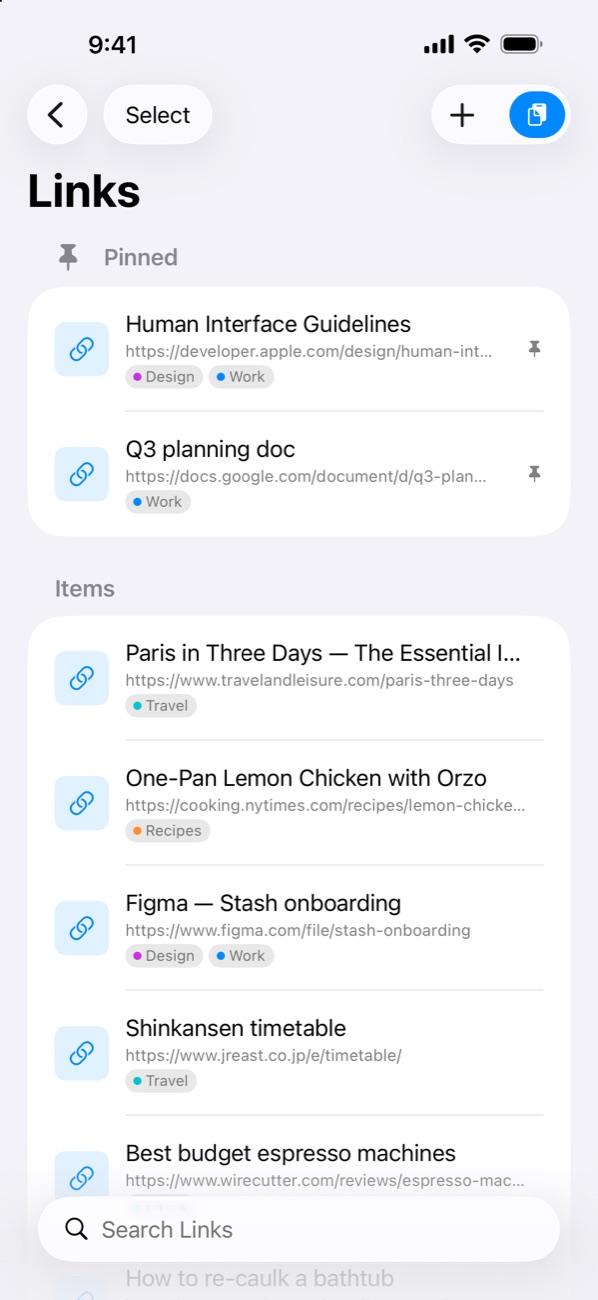
Text Snippets, Links, Photos, GIFs, and Documents, plus your own color-coded tags that cut across every category. Pin favorites, drag to reorder, search everything.
Recents
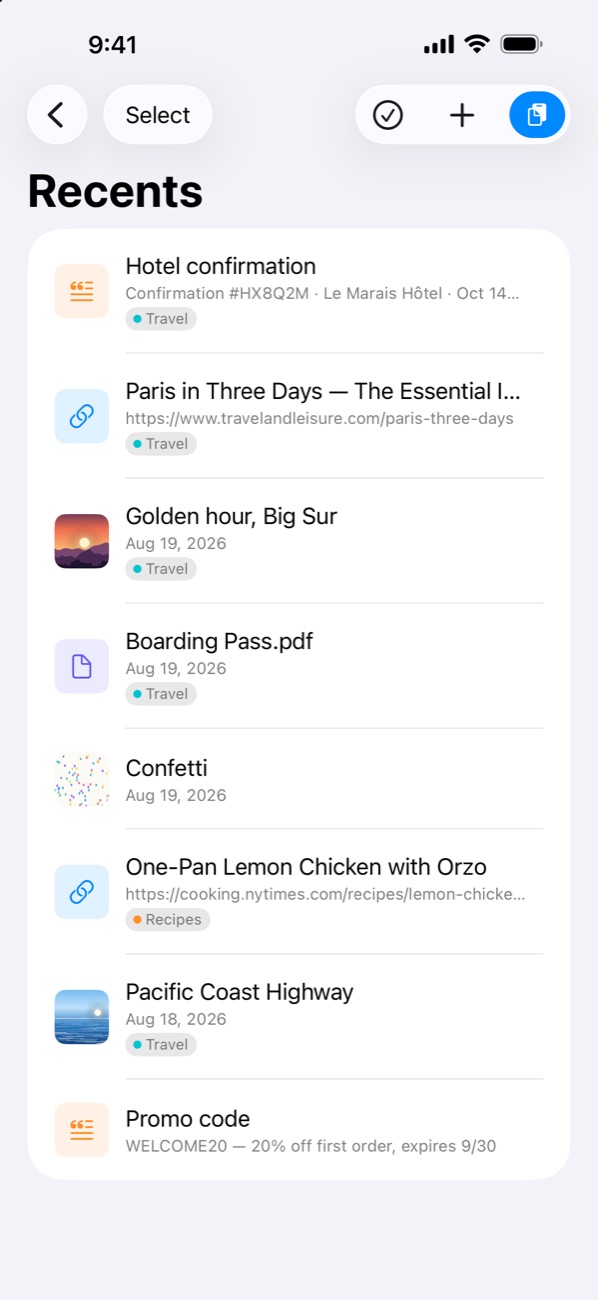
New saves gather in Recents until you've reviewed them. Clear the list with one tap, or let tagged items file themselves after a few days.
Control Center & Shortcuts
Save the clipboard, with a tag, straight from Control Center, the Lock Screen, or the Action button. App Intents for Save, Copy, Get Items, and Open Category in Shortcuts.
iCloud sync
Your library stays in sync across iPhone, iPad, and Mac, stored privately in your own iCloud. No accounts, no tracking. On the Mac: menu bar access and global hotkeys.
On iPhone
Sorted the moment you save it.
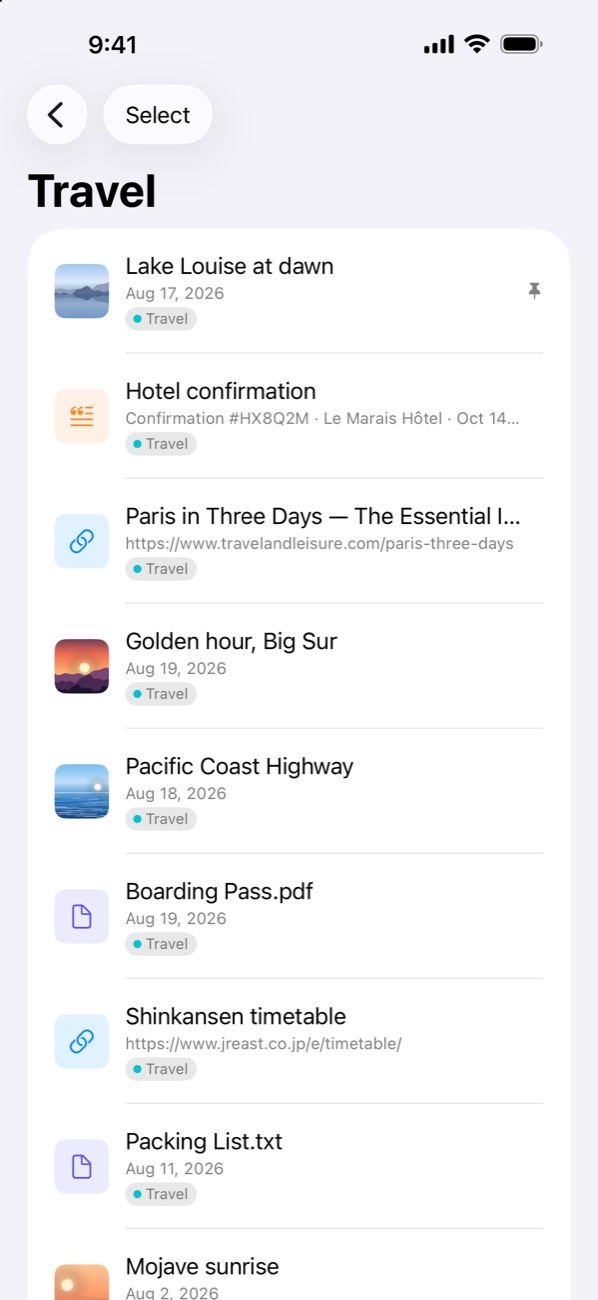
Snippets, links, photos, and documents each get their own category, and tags like Travel or Work pull related things together.
FAQ
Frequently asked questions
Do I need an account?
No. Stash has no sign-up and no login. Your items are stored on your device and, if you're signed in to iCloud, synced through your personal iCloud account.
How does sync work?
Stash uses iCloud to sync your snippets, links, photos, GIFs, documents, and tags across iPhone, iPad, Mac, and Vision Pro. Settings > iCloud Sync shows when items were last sent and received, and you can turn sync off or re-download your library any time.
What's free and what does Stash Unlimited unlock?
Stash is free to download and holds up to 10 items. Stash Unlimited is a single one-time purchase, no subscription, that removes the limit on every device signed in to your Apple Account. Deleting an item always frees up a slot.
How do I save something from another app?
Use the share sheet and pick Stash, or copy it and tap the clipboard button in Stash (or the "Stash from Clipboard" control in Control Center). Text, links, images, and files are sorted into the right category automatically.
Does Stash collect any data?
No. There are no analytics, no trackers, and no third-party services. Your items never leave your devices and your iCloud account.
Does it work with Shortcuts and Control Center?
Yes, Stash includes three Control Center controls (open Stash, open a category, and save the clipboard with a tag) and Shortcuts actions: Save to Stash, Copy from Stash, Get Stash Items, Get Stash Files, and Open Category.
Privacy
Nothing collected.
Stash does not collect, store, or transmit any personal data. Everything you save stays on your device and, if enabled, in your private iCloud database, which only you can access. There are no accounts, analytics, advertising identifiers, or third-party SDKs. Purchases are handled by Apple through the App Store.
Support
Send a message
Questions, bug reports, or feature ideas? Send me a message using the form below.